AncestorPress Family Trees provides Gutenberg blocks for embedding family tree content in the WordPress block editor. Blocks are the easiest way to add content - no shortcode syntax needed. In the block editor, click the + icon and search for AncestorPress to see all available blocks.
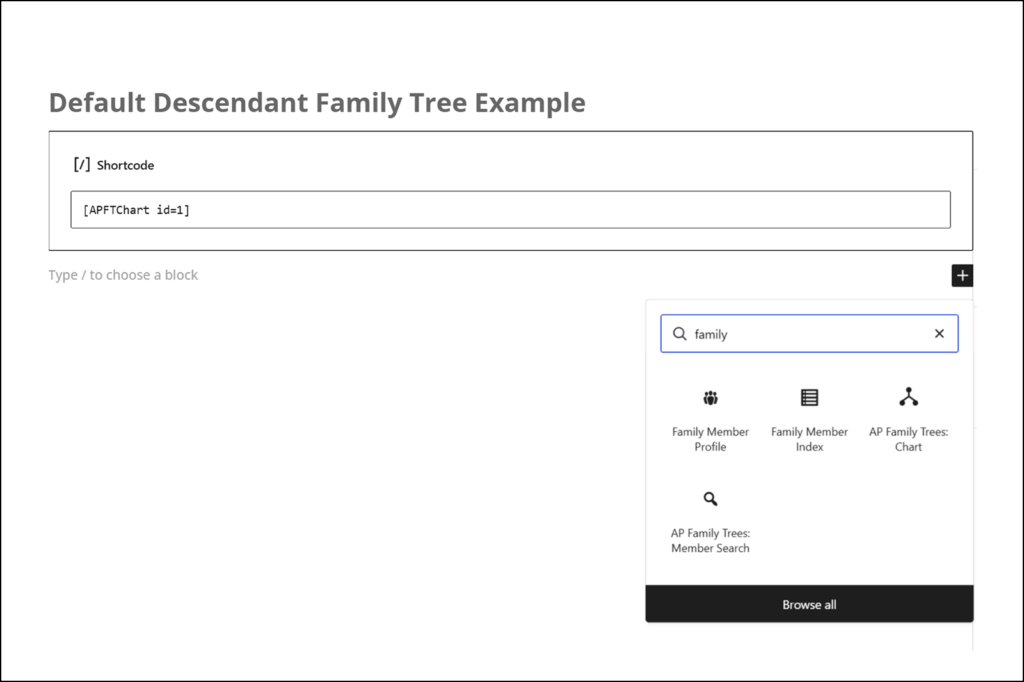
📸 SCREENSHOT: Gutenberg block inserter with 'Family' in the search field, showing all available blocks
Chart Block #
Embeds a saved chart on any page or post. Select from your published charts using the dropdown in the block settings panel.
- Add the AncestorPress Chart block
- In the block settings panel on the right, select your chart from the Select chart dropdown
- The block preview updates to show the selected chart name and type
- Publish or update the page
This block is the visual equivalent of the shortcode. Use whichever you prefer — the output is identical.
📸 SCREENSHOT NEEDED: Chart block in the editor showing the chart selector dropdown in the Inspector panel
Search Block #
Adds a member search box to any page. Visitors type a name and matching members appear as results, each linking to the member's profile page.
- Add the AncestorPress Member Search block
- In the block settings panel, select which tree to search from the dropdown
- Publish or update the page
This block is the visual equivalent of the
shortcode. Leave the tree selector blank to search across all trees.
📸 SCREENSHOT NEEDED: Search block in the editor, and the rendered search box on the frontend with example results
Family Member Profile / Card Blocks #
Pro feature: Requires Personal or Pro plan.
Displays a profile card for a specific family member. Use it to embed member information in blog posts, family history articles, or any page.
- Add the Family Member Profile block
- Select the tree and then the person from the dropdowns
- Choose the display mode:
- Compact card — shows the member's photo, name (linked to their full profile), and life years. Ideal for inline mentions in articles.
- Full card — shows the complete profile: photo, name, dates and places of birth and death, gender, spouse and children. Optionally includes a photo gallery.
- Optionally set a custom background colour and border colour for the card
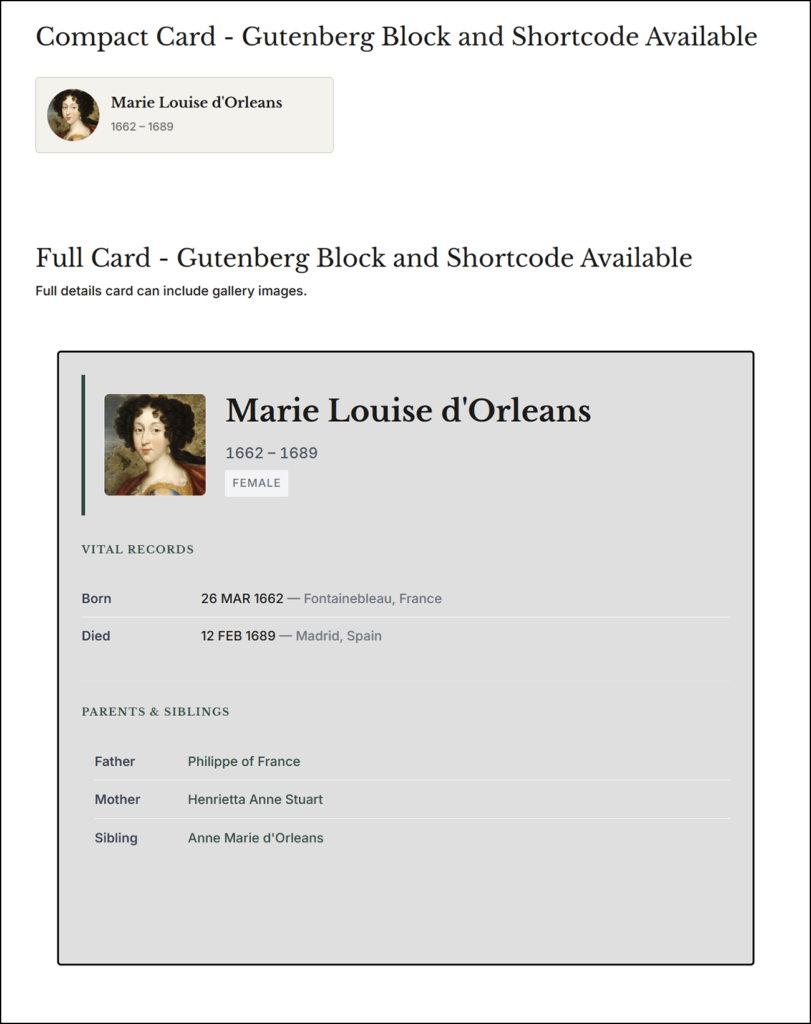
📸 SCREENSHOT: Family Member Profile block showing compact and full card examples - content can be amended.
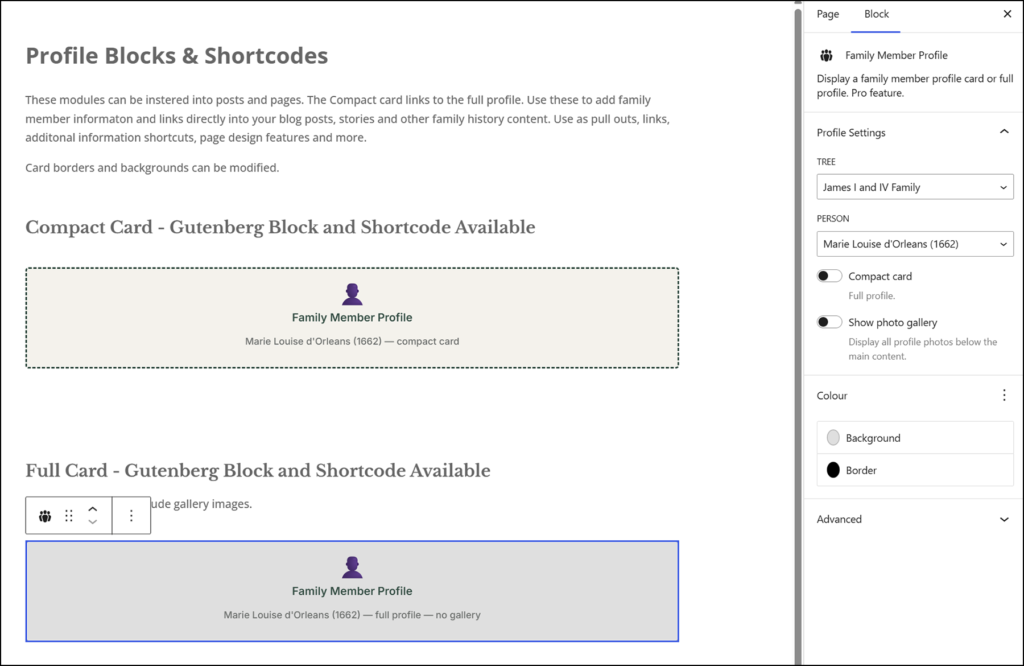
📸 SCREENSHOT: Family Member Profile block showing compact and full card controls in the page settings
This block is the visual equivalent of the shortcode.
Family Member Index Block #
Pro Plus feature: Requires Pro Plus plan.
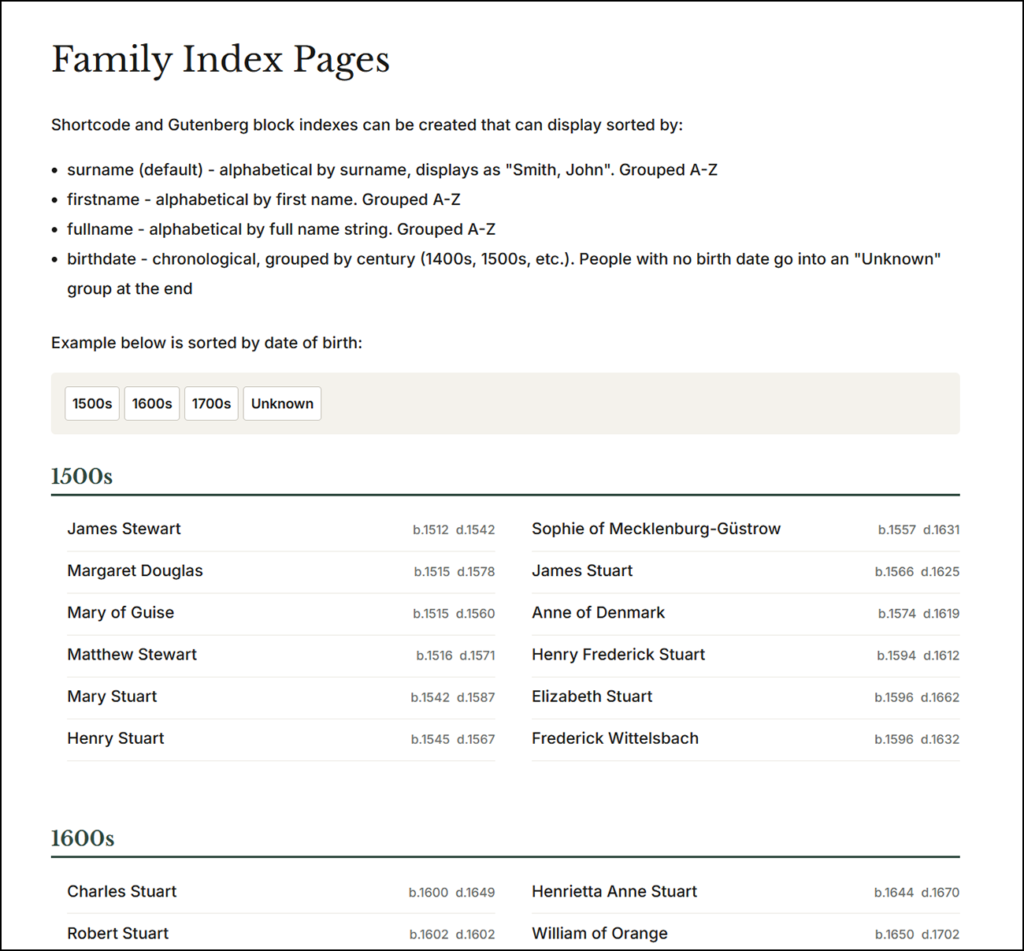
Displays a full alphabetical index of all members in a tree, with each name linked to their profile page. Useful as a site-wide member directory or search aid.
- Add the Family Member Index block
- Select the tree
- Set the sort order: Surname A-Z, First name A-Z, Full name A-Z, or Date of birth
- Toggle whether to show birth and death dates alongside each name
This block is the visual equivalent of the shortcode.