
AncestorPress supports six chart types. Each shows your family data from a different perspective. You select the chart type when creating or editing a Chart in AncestorPress → Charts.
A1 - Descendant Vertical Chart (Free Version Default) #
Shows a person's descendants in a vertical tree flowing downwards. The root person appears at the top, with children, grandchildren, and further generations below. This is the most familiar family tree format.
Best for: Showing how a family grew from a single ancestor over multiple generations.
Root person: Set to the oldest ancestor you want to start from.
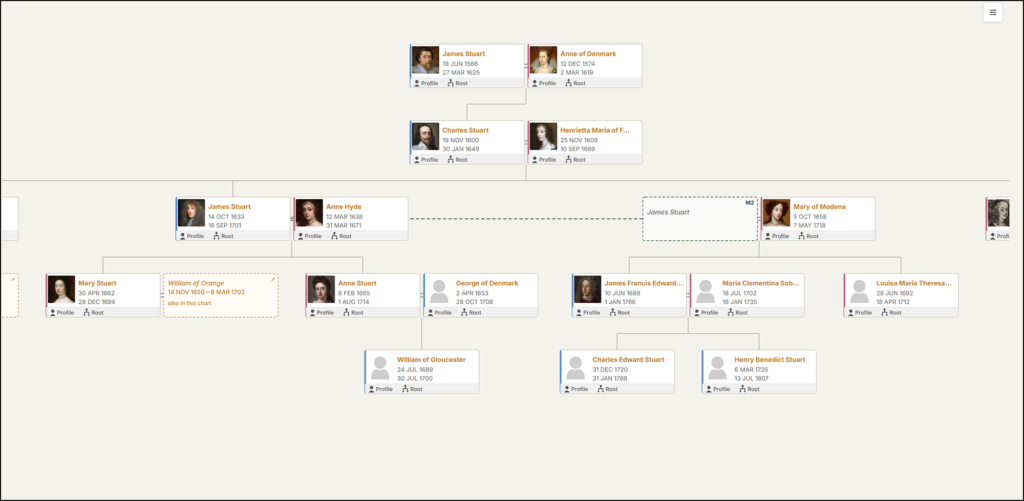
📸 SCREENSHOT : Example of the Default Descendant Chart showing the vertical layout
A2 - Descendant Horizontal Chart - Pro Plus #
The same descendant data as the default chart but laid out horizontally — the root person appears on the left and descendants extend to the right. Useful for trees that are wider than they are tall, or for embedding in landscape-oriented pages.
Best for: Large trees that need more horizontal space, or layouts where a wide chart fits better than a tall one.
Root person: Set to the oldest ancestor.
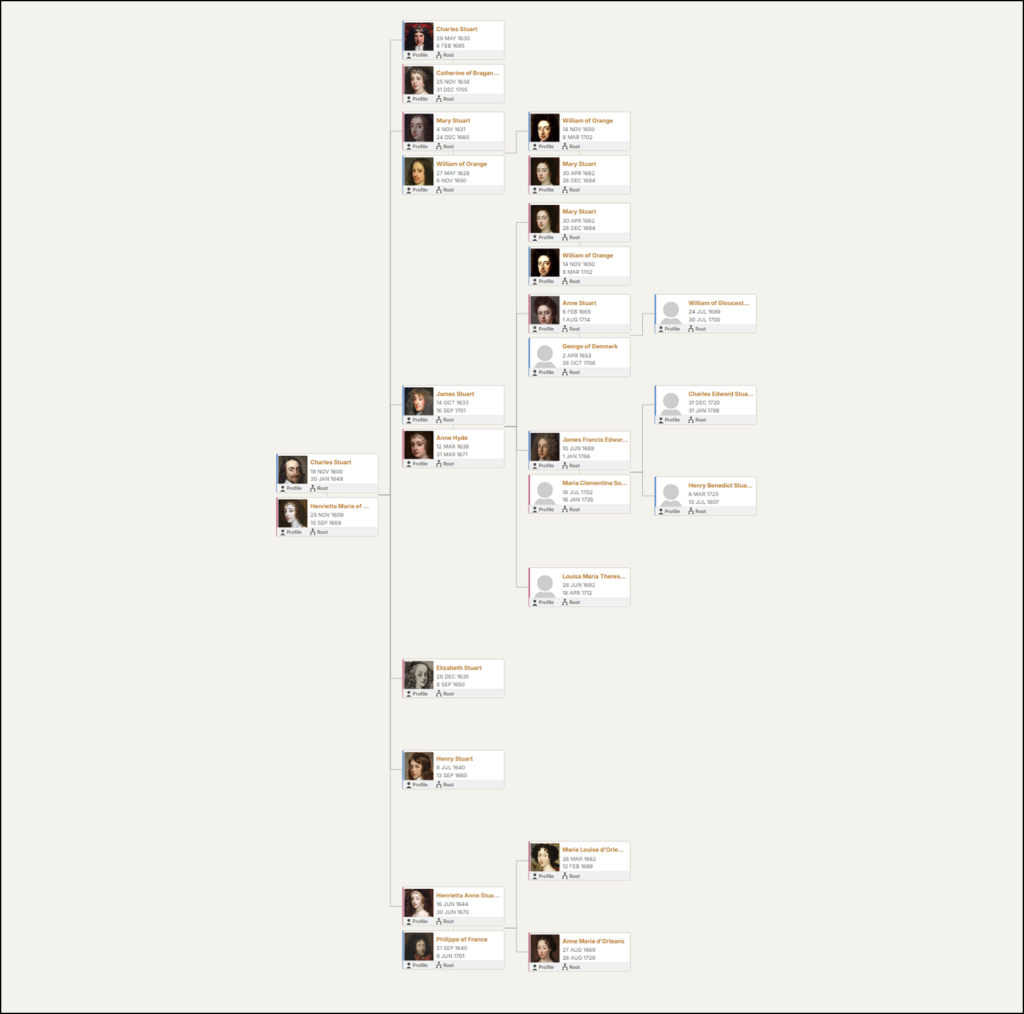
📸 SCREENSHOT: Example of the Horizontal Descendant Chart showing the horizontal layout
B1 - Ancestor Vertical #
A genealogical pedigree chart. Shows a person's direct ancestors - parents, grandparents, great-grandparents - in the classic branching format used in genealogy research.
Best for: Displaying direct lineage for research purposes. Familiar format for genealogists.
Root person: Set to the person whose pedigree you are showing.
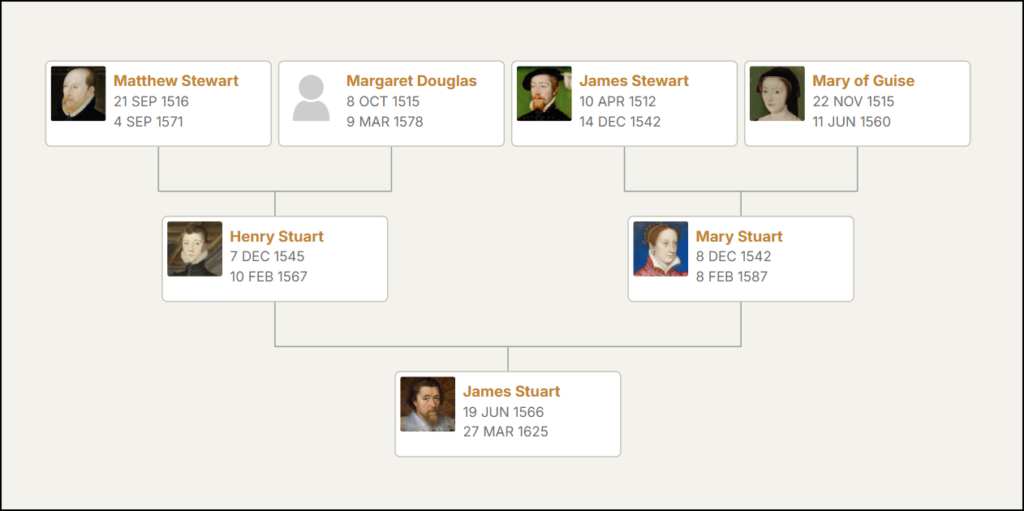
📸 SCREENSHOT: Example of the Ancestor Vertical Chart
B2 - Ancestor Horizontal Chart - Pro #
The standard format pedigree chart. Shows a person's ancestors going backwards in time. The root person appears on the left, with parents to the right, then grandparents, and so on. This is sometimes called a fan or pedigree layout and is useful for tracing a specific person's ancestry.
Best for: Showing where a specific living person's ancestry comes from.
Root person: Set to the youngest person - yourself or the person whose ancestry you are tracing.
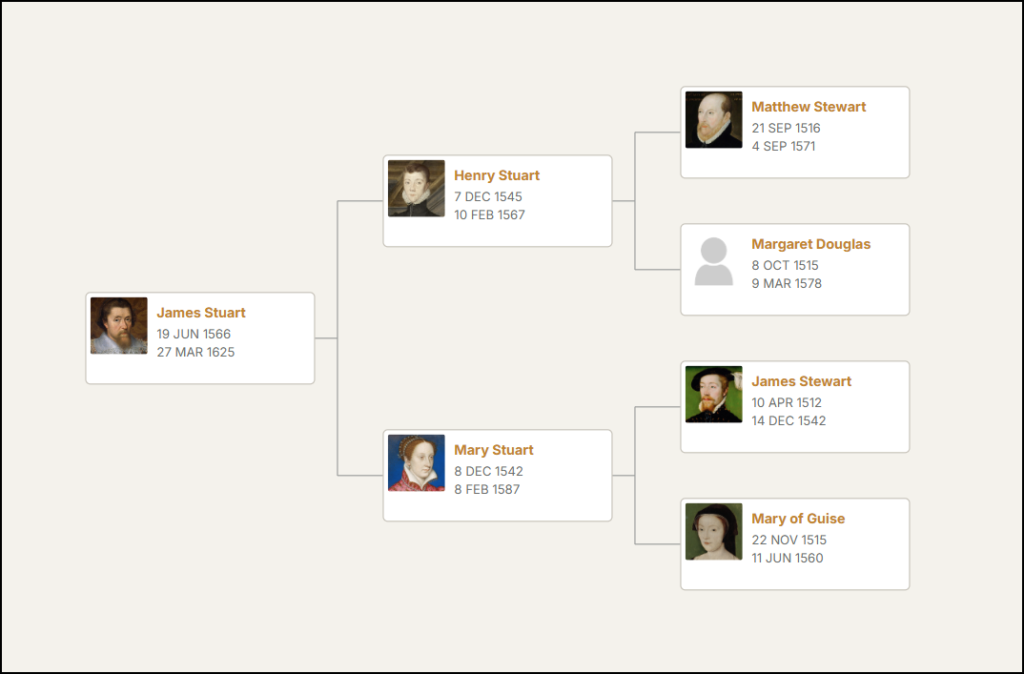
📸 SCREENSHOT: Example of the Ancestor Horizontal Chart
C1 - Compact Text Chart - Pro Plus #
Displays descendants as a structured text list rather than a graphical chart. Each generation is indented, with key dates shown inline. This format is highly readable on mobile devices and loads faster than graphical charts for large families.
Best for: Very large families where a graphical chart becomes unwieldy, mobile-first sites, or users who prefer a text-based view.
Root person: Set to the oldest ancestor.
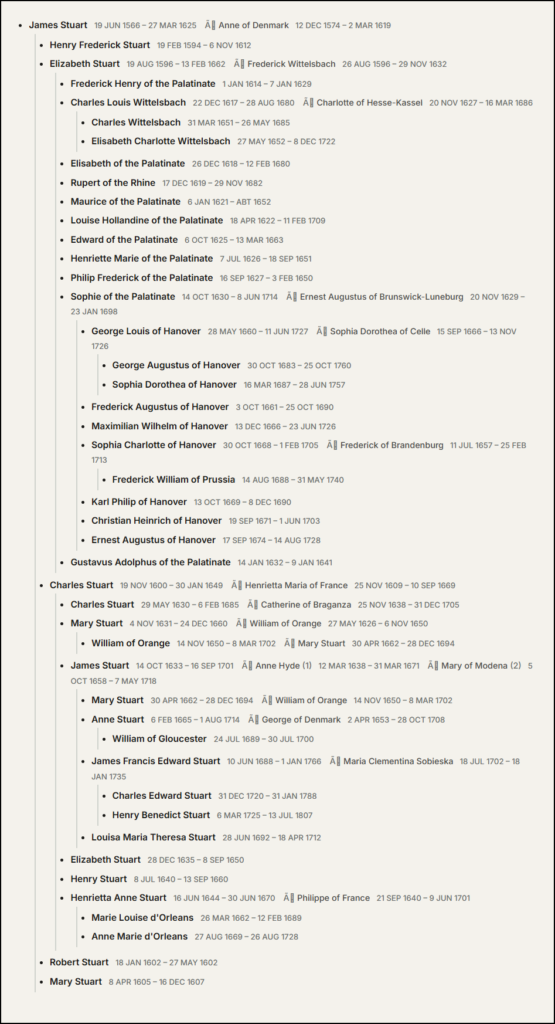
📸 SCREENSHOT: Example of the Descendants Compact Text Chart showing the indented text format
E - Hourglass Chart - Pro Plus #
Shows both ancestors and descendants of a root person in a single chart. The root person appears in the centre - ancestors extend upwards and descendants extend downwards, creating an hourglass shape. This gives a complete picture of where a person fits in the broader family.
Best for: Showing a specific person's full family context - where they came from and what they started.
Root person: Set to the person at the centre of the chart - typically yourself or a key ancestor.
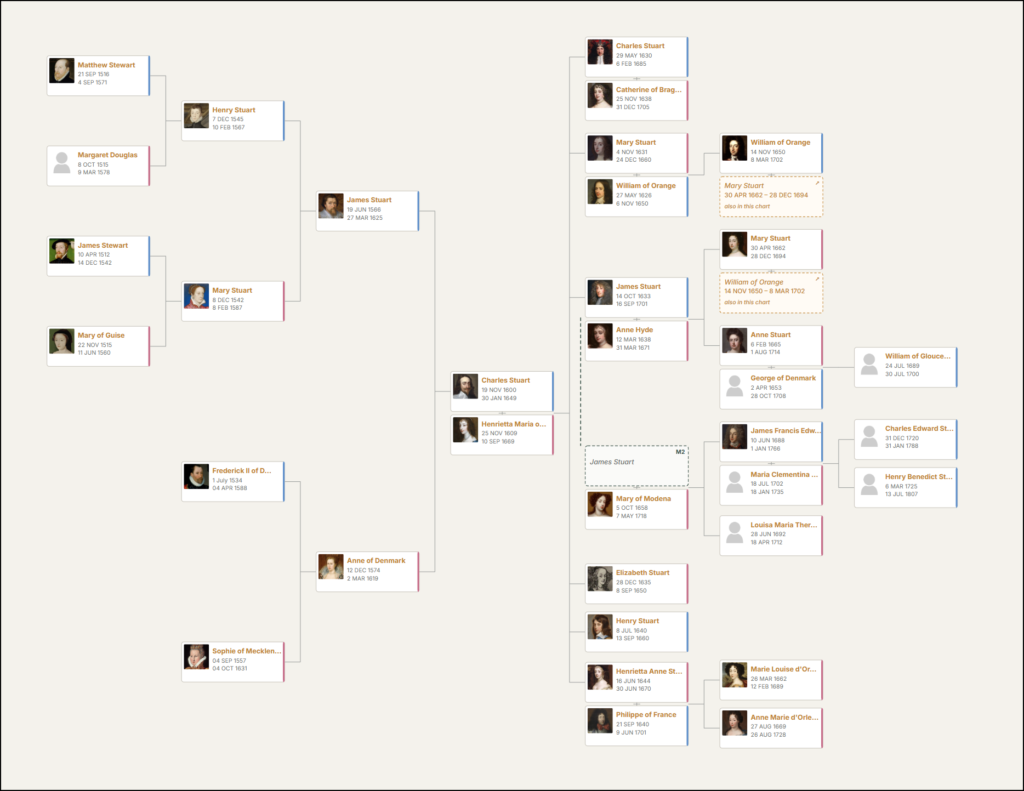
📸 SCREENSHOT: Example of the Hourglass Chart showing ancestors left and descendants right of the root person
Choosing the right chart type #
| I want to show... | Use this chart type |
|---|---|
| How a family grew from one ancestor | Descendant (Default or Horizontal) |
| Where a specific person's ancestry comes from | Ancestor Horizontal or Pedigree |
| Both ancestors and descendants of one person | Hourglass |
| A large family that works well on mobile | Compact Text |