
A Family Group is the container for a set of family tree data and mirrors the GEDCOM 'FAM' tag. It is one of the core records in the file used to define a family unit, linking individuals together as husbands, wives, and children to create your family tree's structure.
Creating a Family Group #
Family Groups are mostly created automatically when you connect a child to a parent or vice-versa.
They will be within a lineage and can be thought of as generational 'nuclear' or 'sub' families with the larger family lineage.
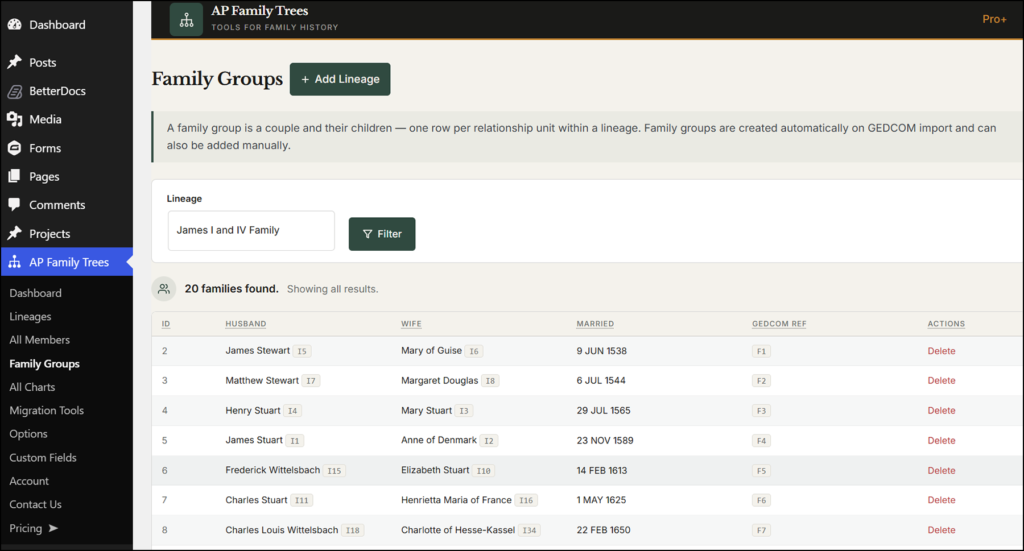
📸 SCREENSHOT: AP Family Trees → Family Groups screen
Finding a Family Group ID #
The ID is shown in the ID column of the Family Groups list. If you cannot see the ID column, hover over the group name and click Edit - the ID appears in the browser's URL bar as tag_ID=X.
Editing and deleting Family Groups #
Delete a Family Group using the option in the Actions coloumn on the right.
Assigning members to a Family Group #
When adding or editing a member, the Family Group taxonomy box appears as the 'Family Relationships' block towards the bottom of the screen. A member can belong to more than one Family Group if needed - useful for people who appear in multiple family lines.
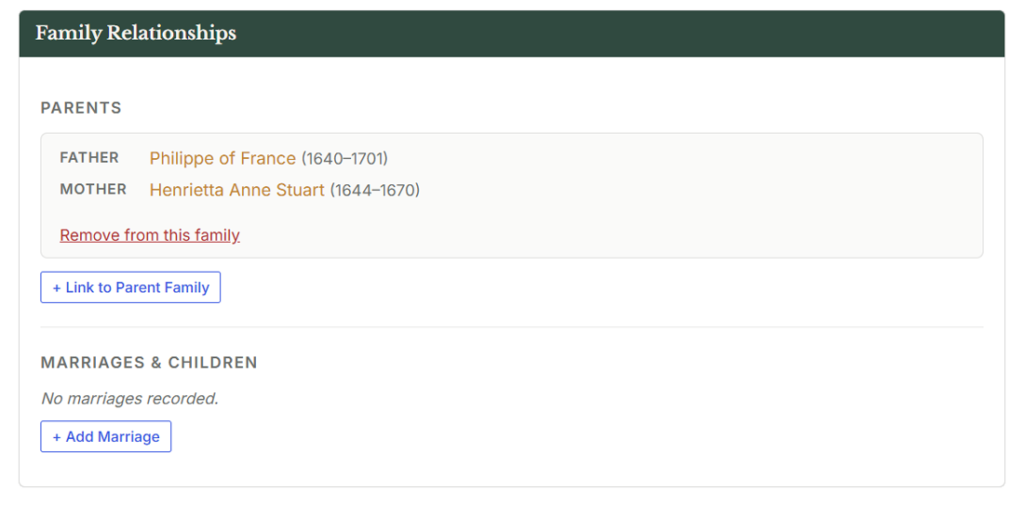
📸 SCREENSHOT: Member edit screen section showing the Family Group taxonomy box in the Member page on the All Members sidebar tab.