
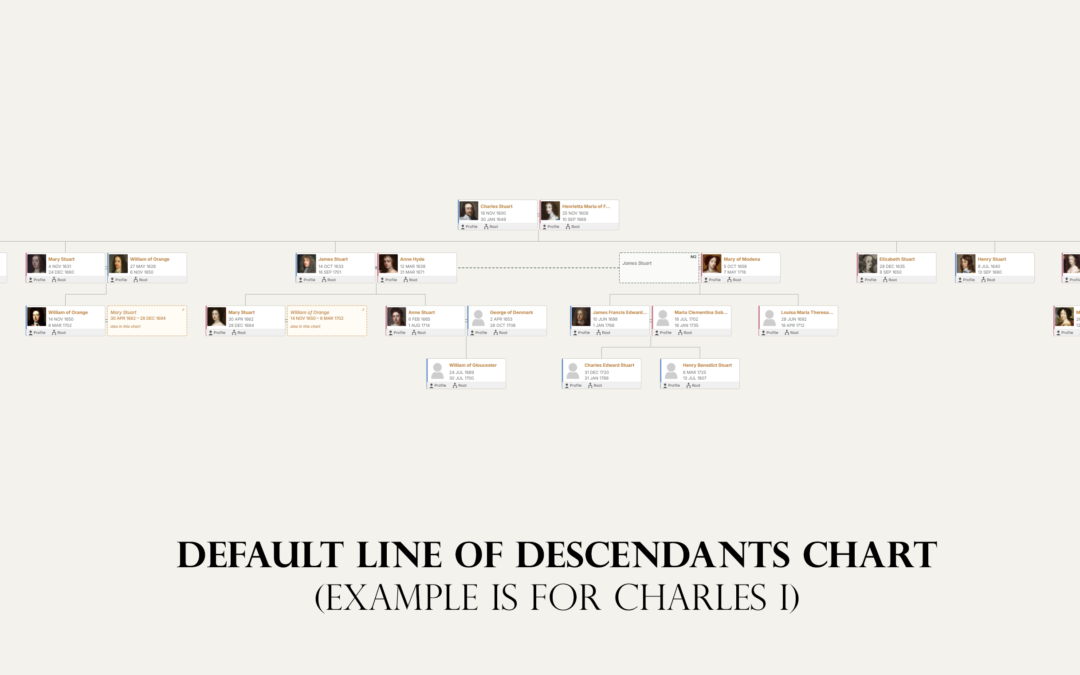
Most family trees live on Ancestry, MyHeritage or FamilySearch. That is fine for research, but those trees sit inside someone else's service, look like everyone else's, and can only be seen by people who sign up. A family tree website of your own is different: your design, your address, your stories and photographs alongside the tree, and nobody else deciding what happens to it. This guide explains the options and then walks through building one.
Quick answer
To make a family tree website, export your tree as a GEDCOM file from the software or service you use, then import it into a website platform that understands genealogy. The simplest self-owned route is WordPress with a genealogy plugin: install WordPress, add a plugin such as AP Family Trees, import your GEDCOM file, and publish. Keep living relatives private, and keep your master tree in your usual software.
In this guide
- Your options
- What a good family tree website includes
- Step 1: Export your tree as a GEDCOM file
- Step 2: Get a WordPress site
- Step 3: Install a genealogy plugin
- Step 4: Import your GEDCOM file
- Step 5: Publish your tree and pages
- Step 6: Protect living relatives
- Step 7: Add stories and photographs
- Step 8: Keep it up to date
- Frequently asked questions
- Start your family tree website
Your options
| Option | Cost | Your own site? | Good for | Watch out for |
|---|---|---|---|---|
| Share your Ancestry or MyHeritage tree | Included in your account | No | Relatives who already use that service | Viewers need an account; design and data stay with the service |
| Hosted family sites (such as MyHeritage family sites) | Free to paid plans | No | A quick private space for relatives | Limited design; hard to move away |
| Website builder (Wix, Squarespace) | Monthly subscription | Yes | Stories and photos | No way to import or display a real tree |
| Genealogy web software (webtrees, TNG, Gramps Web) | Free to $34.99 plus hosting | Yes | Large, collaborative databases | A separate application to maintain; limited blogging and design |
| WordPress with a genealogy plugin | Hosting from a few pounds a month; plugins free or paid | Yes | A complete family history site: tree, stories, photos, blog | Choose an actively maintained plugin |
We compare the self-hosted options in detail in WordPress vs webtrees vs Gramps Web, and the WordPress plugins in the best WordPress genealogy plugins in 2026.
What a good family tree website includes
- An interactive tree that visitors can explore, not a static image.
- A page for each ancestor with their life events, family and sources.
- Stories and photographs, which are what relatives actually come back for.
- A surname index and search, so distant cousins can find their line.
- Privacy for living relatives, applied automatically.
- A way to get your data out again, so the site never becomes a trap.
Step 1: Export your tree as a GEDCOM file
Almost every genealogy program and service can export a GEDCOM file, the standard format for family tree data. On Ancestry it is under Tree Settings, then Export tree; see how to download your family tree from Ancestry. In desktop software it is usually File, then Export. If you are new to the format, read what is a GEDCOM file?
Step 2: Get a WordPress site
You need a domain name and WordPress hosting. Many hosts install WordPress in one click. Two things to check:
- Plugins must be allowed. On WordPress.com, plugins are only available on paid plans. Most other hosts allow them on every plan.
- PHP 8.0 or later, which any current host provides.
A domain with your surname, such as harrisfamilyhistory.co.uk, is easy for relatives to remember and helps distant cousins find you.
Step 3: Install a genealogy plugin
In your WordPress dashboard, go to Plugins, then Add New, and search for the plugin. AP Family Trees draws interactive charts from a GEDCOM file; AP Family Archive adds person, family, source and surname pages from the same data. Both are free on WordPress.org and can be used together.
Step 4: Import your GEDCOM file
Upload the file on the plugin's import screen. AP Family Trees reads it, builds your tree and shows how many people and families it found.
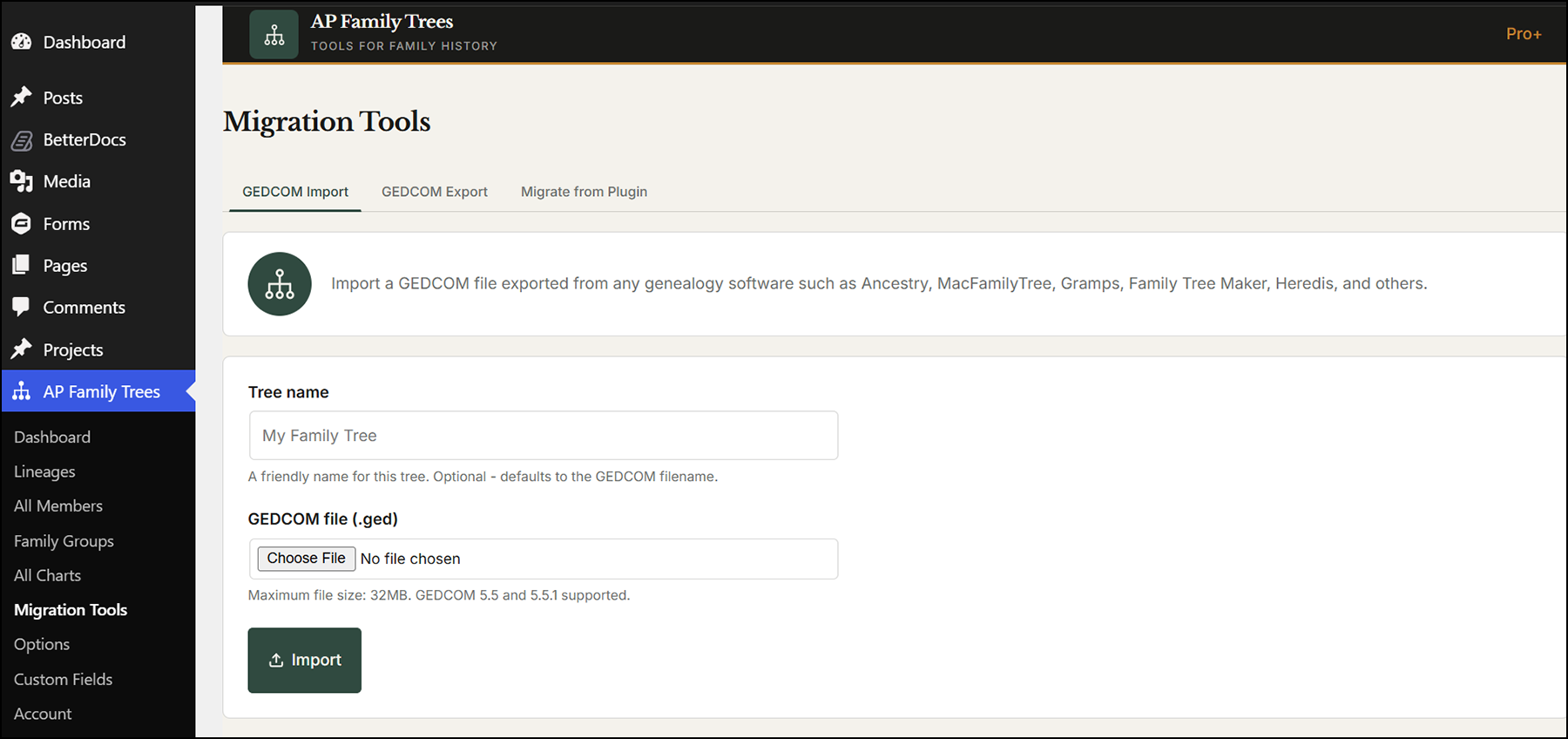
Check a few families after the import, especially anyone with several marriages or unusual dates.
Step 5: Publish your tree and pages
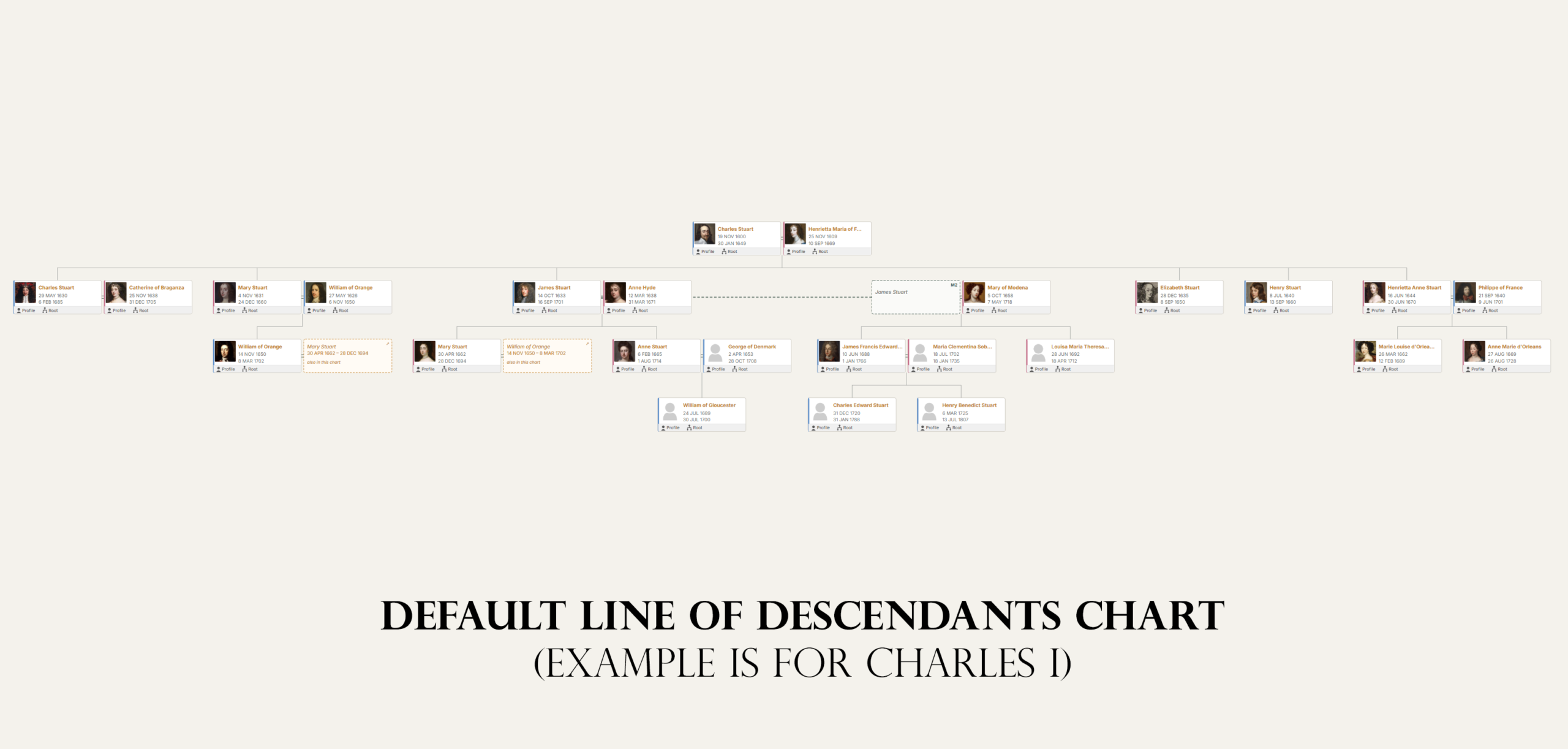
Add the family tree block, or a shortcode, to any page. Visitors can pan, zoom and click through the generations. With AP Family Archive, one click creates the rest of the site: a hub page, person pages with timelines, family pages, a surname index, search and source pages.
Step 6: Protect living relatives
Anyone without a death date who was born in the last 100 years is shown to visitors simply as "Living". This is on by default in both plugins and applies in the chart, the pages and downloads. Some families also make the whole site private or members-only; WordPress lets you password-protect pages, or you can use a membership plugin.
Step 7: Add stories and photographs
This is where your own website beats any hosted tree. Write blog posts about individual ancestors, a house, a war record or a family legend, and link them to the person's page. Add photo galleries and scanned documents. Over time, these stories are what bring relatives and search traffic to the site.
Step 8: Keep it up to date
Keep your master tree in your usual genealogy software or online service. When you have made progress, export a fresh GEDCOM file and import it again to refresh the site. Take regular backups of the whole website with a backup plugin, and keep a copy of your GEDCOM file off the server.
Frequently asked questions
Can I make a family tree website for free?
The software can be free: WordPress and both plugins used here cost nothing. You will need to pay for hosting and a domain name, typically from a few pounds a month.
Can I put my Ancestry tree on my own website?
Yes. Export it from Ancestry as a GEDCOM file and import it into your website. Ancestry's export does not include photos, so add those separately.
Is it safe to put my family tree online?
It is, if living people are protected. Publish only people who have died or who were born long enough ago, and use a platform that hides living relatives automatically.
Can I make my family tree website private?
Yes. WordPress can password-protect individual pages or the whole site, and membership plugins can restrict access to invited relatives.
Do I need technical skills?
If you can write an email and upload a photo, you can run a WordPress family history site. Most hosts install WordPress for you, and the plugins create their pages automatically.
Start your family tree website
Import your GEDCOM file and see your family tree on your own website today. Both plugins are free on WordPress.org.
Disclosure: AncestorPress makes the WordPress plugins used in the walkthrough. The first half of this guide compares all the main options, including ones we do not make. Details were last checked in September 2026.