
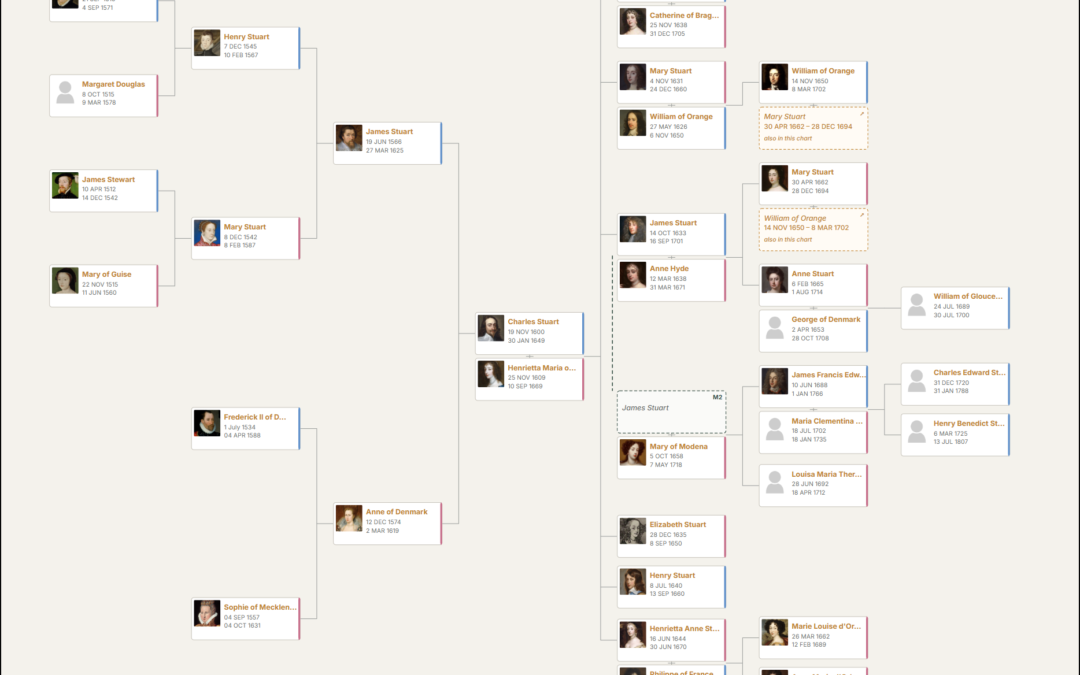
If you want to publish your family history on your own WordPress site, the choice of plugin looks bigger than it is. Search for "WordPress family tree plugin" and you will find a dozen names, but several of them have not been updated in years, one has been declared dead by its own developers, and the most-read "best plugin" articles still recommend plugins that have since been closed.
More importantly, the plugins that remain are not all trying to do the same job. Some draw a tree. Some turn a GEDCOM file into web pages. Some are private family communities with a tree attached. One simply embeds somebody else's service. So the right answer depends on what you are building.
This guide starts with a quick answer, then explains what to look for, shows the current status of every plugin, and reviews the ones worth considering.
In this guide
- Quick answer: the best plugin for each job
- What to look for in a WordPress genealogy plugin
- Every WordPress genealogy plugin and its status in 2026
- The plugins reviewed
- Plugins to approach with caution in 2026
- What about TNG, webtrees and Gramps Web?
- Specialist research: one-name and one-place studies
- Frequently asked questions
- Try AP Family Trees free
- How we compared them
Quick answer: the best plugin for each job
| If you want... | Our pick | Why |
|---|---|---|
| A self-hosted family tree with GEDCOM in and out | AP Family Trees | Free GEDCOM import and full export, living people protected by default, block and shortcode publishing |
| A complete family history website | AP Family Archive (with AP Family Trees) | Person, family, source, surname and place pages from the same data, with search and reports |
| An established tree builder with free profile pages | Genealogical Tree | Mature, several layouts, free member profiles and a lifetime licence option; GEDCOM is a paid feature |
| Free GEDCOM-to-person-pages publishing | RootsPersona | Detailed person and evidence pages at no cost; an older workflow with no GEDCOM export |
| An animated tree viewer for an existing GEDCOM | GeneaCanvas | Attractive D3 canvas and unlimited free trees; living-person protection is a paid feature |
| A private family community site | Bsaeed Family Tree Builder | Member accounts, access levels and subscriptions free; no GEDCOM support |
| To keep using TNG alongside WordPress | Single Sign On for TNG | Shared logins between the two; no visual integration |
| A one-name or one-place study website | AP One-Name Studies / AP One-Place Studies | No other WordPress plugin is built for these studies |
There is no single best plugin for every project. For the most common case, someone with a tree in Ancestry, Family Tree Maker, RootsMagic or Gramps who wants it on their own website without losing control of the data, AP Family Trees is the one we would choose. We built it for exactly that.
What to look for in a WordPress genealogy plugin
We compared every plugin on the same ten questions. You can use them to judge any plugin, including ones that appear after this article is published.
- Getting data in. Can you import a GEDCOM file, and is that free or paid? If not, you will be typing your tree in by hand.
- Getting data out. Can you export your tree as GEDCOM again? A plugin you cannot leave is a risk to years of research.
- Charts. Which chart types are available, how deep do they go, and can visitors pan, zoom and re-centre on a person?
- Person and family pages. Does each ancestor get a proper page, with events, sources and media?
- Privacy of living people. Does the plugin detect living relatives and hide their details automatically, or is that left to you?
- Where the data lives. Is your tree stored in your own WordPress database, or on someone else's service?
- Modern WordPress fit. Does it support the block editor, current PHP and the current version of WordPress?
- Ease of use and design. How quickly can a non-technical user go from GEDCOM file to a good-looking page?
- Maintenance and security. Is the plugin actively maintained, and does it have any open security advisories?
- Value. What does the free version really allow, and what does the paid version cost?
Every WordPress genealogy plugin and its status in 2026
Figures are from WordPress.org in September 2026. Active installs are rounded by WordPress.org and lag by up to a week.
| Plugin | What it is | Last updated | Active installs | Status |
|---|---|---|---|---|
| Genealogical Tree | Freemium tree and member-profile plugin | September 2026 | 600+ | Active |
| RootsPersona | GEDCOM to one WordPress page per person | June 2026 | 400+ | Revived in 2026 by a new maintainer |
| GedShow | GEDCOM viewer using shortcodes | March 2024 | 200+ | Not tested with the last three WordPress releases |
| TNG WordPress Integration | Displayed TNG inside WordPress | January 2024 | 100+ | No longer updated, according to its developers |
| WP Family Tree | Posts-as-people tree | February 2016 | 100+ | Not maintained |
| Genealogy | Hand-entered member profiles, no chart | June 2026 | 50+ | Security update only; described as beta |
| Single Sign On for TNG | Shared logins for WordPress and TNG | August 2026 | 20+ | Active |
| Secure Iframe Embed for Genealorama | Embeds an external genealogy service | September 2025 | 10+ | Not tested with the last three WordPress releases |
| FamTree | 3D tree block, manual entry | August 2024 | 10+ | Not tested with the last three WordPress releases |
| GeneaCanvas | D3 GEDCOM viewer | September 2026 | New | Launched September 2026 |
| Bsaeed Family Tree Builder | Family community portal with a tree | September 2026 | New | Launched September 2026 |
| AP Family Trees | Charts and profiles from GEDCOM | September 2026 | New | Active |
| AP Family Archive | Complete family history website | September 2026 | New | Active |
The table shows why so many older guides are unhelpful. Of the plugins most often recommended in articles written between 2019 and 2023, several are no longer a sensible choice for a new site, and at least one has been removed from the WordPress.org directory altogether.
The plugins reviewed
AP Family Trees: best for a self-hosted family tree
- Free version: yes, on WordPress.org
- GEDCOM: import and full export, free
- Paid from: $49 a year
- Best for: a tree you already keep in genealogy software
AP Family Trees turns a GEDCOM file from any mainstream genealogy program into interactive charts and profile pages on your own WordPress site.
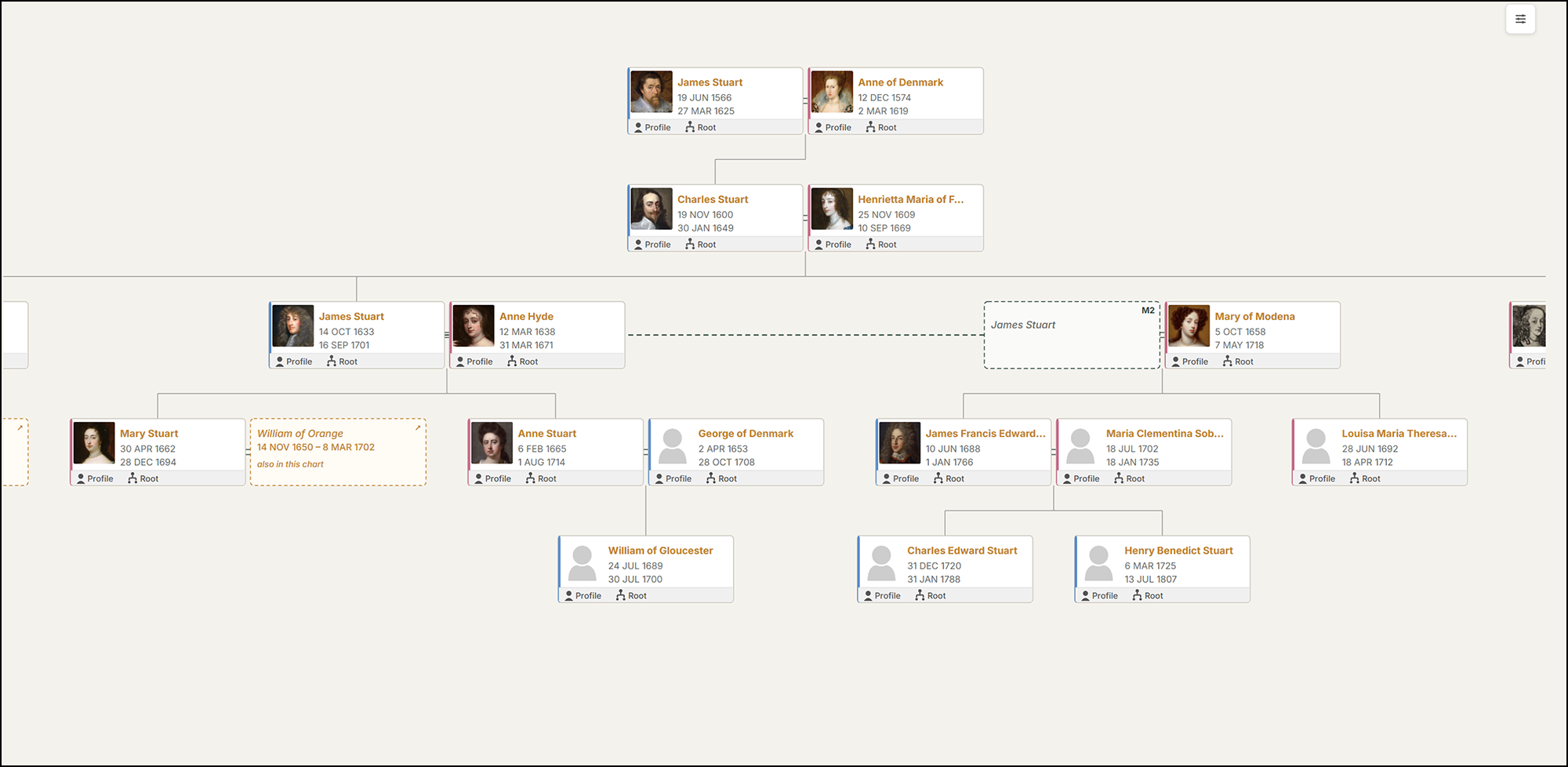
What the free version includes:
- GEDCOM 5.5 and 5.5.1 import from Ancestry, MyHeritage, FamilySearch, Family Tree Maker, RootsMagic, Gramps, Legacy, Reunion and MacFamilyTree
- Full GEDCOM export of people, families, events, relationships, notes and source citations
- An interactive descendant chart with pan and zoom; click anyone to re-centre the chart on them
- Unlimited people in one lineage
- Automatic protection for living people: anyone without a death date who was born within the last 100 years (you can change the threshold) is shown as "Living" to visitors
- A block for the block editor, plus shortcodes for page builders such as Divi and Elementor
Paid versions add further lineages, the pedigree (ancestor) chart, full profile pages and compact profile cards you can drop into blog posts, galleries, custom fields and member search. The top tier adds Hourglass and three further chart layouts, custom colours, PDF and SVG export and a sortable member directory.
Where it falls short: it is new, so it does not yet have the track record or review count of older plugins. There is no fan chart. The free version is limited to one lineage and one chart type, and full profile pages are a paid feature. GEDCOM 7 files are not yet supported.
Best for: anyone who already keeps their tree in desktop or online software and wants it on their own site, with the option to take it back out again.
AP Family Archive: best for a complete family history website
- Free version: yes, on WordPress.org
- GEDCOM: import and full export, free
- Paid from: $69.99 a year or $179.99 lifetime
- Best for: a complete, searchable family history site
AP Family Archive is closer to a genealogy website builder than a chart plugin. It shares its data with AP Family Trees, so the same people appear in both without importing twice.

The free version creates person pages with a life timeline, family group pages, a surname index with A-Z browsing, search by name (including a "sounds like" option), year and place, source pages with citation markers, portraits and galleries, anniversaries, a "most wanted" list, Ahnentafel and d'Aboville reports, and full GEDCOM export. One click creates the pages for you, so it works with any theme. Anyone flagged as living or private is never shown to visitors, and that protection cannot be switched off.
The paid version adds a media and document viewer, cemeteries and headstones, a relationship calculator, multiple trees, PDF reports, a contributor workflow and a direct importer for TNG databases.
Where it falls short: it has no charts of its own; it is designed to sit alongside AP Family Trees. It is also very new.
Best for: anyone who wants the kind of complete, searchable family history site that standalone programs such as TNG and webtrees produce, but inside WordPress.
Genealogical Tree: best established tree builder
- Free version: yes, with limits
- GEDCOM: Pro only
- Paid from: $50 a year or $150 lifetime
- Best for: entering your family by hand in WordPress
Genealogical Tree has been on WordPress.org since 2019 and has the largest installed base of any current genealogy plugin. Its free version gives each family member a front-end profile page and includes a member list and life events, which AP Family Trees keeps for its paid versions. It ships translations in more than ten languages.
The free version is deliberately limited, though: one family group, charts showing five generations of descendants and two of ancestors, a single tree style and a "Powered by" link on every tree. GEDCOM import and export, multiple spouses, extra layouts, photos in the tree and collaboration are all paid features. Pro costs $50 a year for one site, or $150 for a lifetime licence. Some reviewers have found the upgrade prompts frustrating, and support reviews are mixed.
Best for: people who prefer to enter their family by hand in WordPress and do not need GEDCOM. Read our full comparison: AP Family Trees vs Genealogical Tree.
RootsPersona: best free GEDCOM-to-pages publisher
- Free version: yes; no paid version
- GEDCOM: import only, no export
- Best for: existing RootsPersona sites and free person pages
RootsPersona has been turning GEDCOM files into WordPress pages since 2011. Each person gets a page with facts, ancestors, family groups, pictures and evidence, and there are privacy levels for public, members-only and private records. It is entirely free, and reloading a GEDCOM updates existing people rather than replacing them.
Its weaknesses are the workflow and the maintenance history. There is no GEDCOM export, no block editor support and no documentation site, because the original domain has lapsed. Large imports create a published WordPress page for every person, which one reviewer described as "slow and counterintuitive". After security issues were disclosed in 2025, a new co-maintainer released updated versions in June 2026.
Best for: existing RootsPersona sites, and people who want free person pages and are comfortable with an older approach. See AP Family Archive vs RootsPersona.
GeneaCanvas: best animated tree viewer
- Free version: yes
- GEDCOM: displays a GEDCOM file; no editing or export
- Paid from: pre-order pricing from $24.50 a year
- Best for: an eye-catching chart of an existing GEDCOM
GeneaCanvas launched in September 2026. It displays a GEDCOM file from your media library as an animated D3 tree with search, slide-out profile cards and an "organic" layout, and it allows unlimited trees free, which AP Family Trees does not.
It is a viewer rather than a genealogy system: nothing is edited in WordPress, and it reads names, births, deaths and marriages but not notes, sources or media. Living-person protection is sold as a paid feature, so check carefully what your free chart exposes before publishing. Its paid version is on pre-order, and some advertised features are listed by the developer as still in development.
Best for: people who want an eye-catching chart of an existing GEDCOM file and do not need person pages.
Bsaeed Family Tree Builder: best for a private family community
- Free version: yes; everything is free
- GEDCOM: not supported
- Best for: members-only family community sites
Bsaeed Family Tree Builder is a different kind of product: a family portal. Everything is free, including multiple trees, photo albums, a "find connection" relationship path, member registration, public, members-only or password-protected trees, PDF export and even PayPal subscriptions. It also supports right-to-left languages.
It has no GEDCOM import or export, so every person is typed in by hand and cannot easily be moved elsewhere, and there are no sources or events beyond a short biography. It is very new.
Best for: extended families who want a members-only community site more than a research publication.
Plugins to approach with caution in 2026
- TNG WordPress Integration. Its developers state that "As of 1 Jan 2024 this plugin is no longer being updated. It became badly broken under WordPress 6.3.x". See TNG and WordPress in 2026 for the alternatives.
- GedShow. Well regarded in its day, but untested with the last three WordPress releases, limited to one GEDCOM file of around 25,000 people, and its own documentation warns that its three-generation tree "does not check for living individuals".
- WP Family Tree. Last updated in 2016 and tested only up to WordPress 4.4.
- FamTree. An interesting 3D tree, but a single release in 2024 and no GEDCOM support.
- Genealogy. Recently patched for security, but still described by its developer as beta, with no chart and no GEDCOM.
- Secure Iframe Embed for Genealorama. Your tree lives on an external service rather than in WordPress, and the plugin has not been updated for a year.
What about TNG, webtrees and Gramps Web?
Many family historians publish with a standalone genealogy web application instead of a WordPress plugin. TNG is a mature paid program, webtrees is a free open-source alternative, and Gramps Web is the modern web companion to Gramps. All three are capable, and all three run as a separate application with its own theme, logins and updates alongside your main site.
A WordPress plugin makes sense when you want one site, one login and one set of backups, with your family history sitting next to a blog readers can already find. We compare the options in WordPress vs webtrees vs Gramps Web.
Specialist research: one-name and one-place studies
No other WordPress plugin caters for these. AP One-Name Studies handles surname variants and deviants to Guild of One-Name Studies definitions, imports FreeBMD and census transcriptions, and maps surname distribution by historic county. AP One-Place Studies records everyone in a parish or village, groups them into households and places, and imports large transcriptions. AP Family Research is a private workbench for evidence, research questions and a research log that treats a search with no result as a result. See How to build a one-name study website.
Frequently asked questions
Can I put my Ancestry tree on my own website?
Yes. Export your tree from Ancestry as a GEDCOM file, then import that file into a plugin that supports GEDCOM, such as AP Family Trees, RootsPersona or GeneaCanvas. Ancestry does not include photos in its GEDCOM export, so media needs to be added separately.
Is it legal to publish living relatives on a family tree website?
In the UK and EU, data protection law applies to living people but not to the dead. The safest approach is to publish only people who have died, or to use a plugin that detects and hides living people automatically. Always ask permission before publishing details of a living relative.
Do I need GEDCOM support?
If your tree already exists in any genealogy program or website, yes. GEDCOM is the standard exchange format, and without it you will re-type your tree by hand. Equally important is GEDCOM export, which lets you move your data to other software later.
Can I make my family tree private or members-only?
Yes. Some plugins, such as Bsaeed, include member accounts. Otherwise, WordPress's built-in password protection or a membership plugin can restrict pages to family members, while your genealogy plugin handles living-person privacy within those pages.
Are these plugins free?
Most have a free version on WordPress.org. RootsPersona, Genealogy and Bsaeed are free only. Genealogical Tree, GeneaCanvas and the AncestorPress plugins offer paid versions with extra features.
Try AP Family Trees free
Import your GEDCOM file and publish your first chart in a few minutes. The free version includes GEDCOM export, living-person privacy and the block editor.
How we compared them
We installed the free version of every plugin from WordPress.org, read its code and documentation, and checked its support forum and reviews. Paid features are described from each developer's published feature list; we have not tested competitors' paid versions. Prices and statuses were correct in September 2026. If you develop one of these plugins and believe something here is wrong, please contact us and we will correct it.
Disclosure: AncestorPress makes two of the plugins in this comparison, AP Family Trees and AP Family Archive. We have an obvious interest in the outcome, so we have kept to facts you can check yourself: each plugin's WordPress.org listing, its free version, its developer's own published feature list and its public support forum. Where a competitor does something better than we do, we say so. Details were last checked in September 2026.